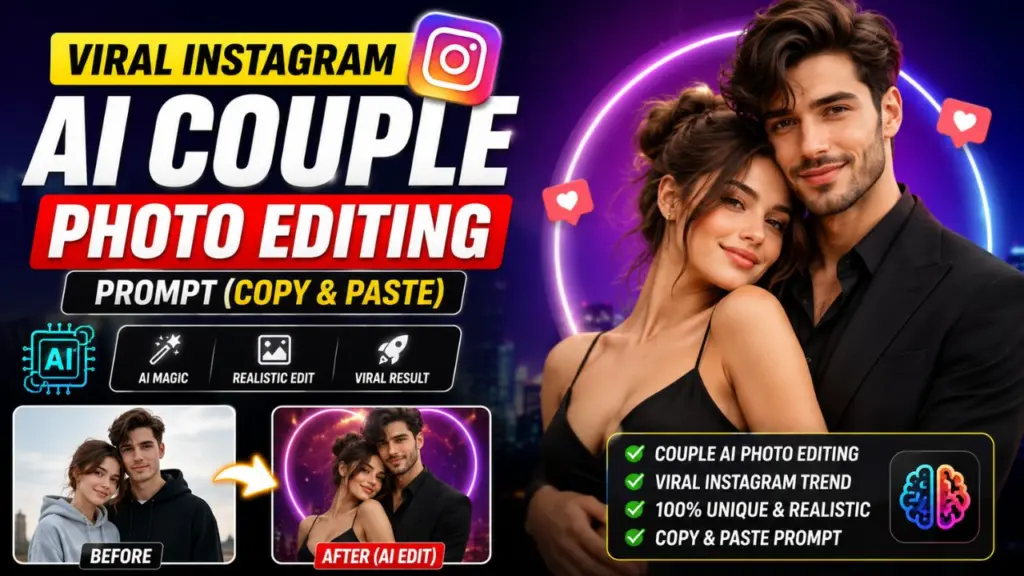
Viral Instagram AI Couple Photo Editing Prompt: Scroll through Instagram Reels or your Explore page for ten minutes and you will almost certainly see one: a couple standing in a golden-hour field, wrapped in soft cinematic light, looking like they stepped out of a romantic film. The faces look familiar, the pose looks natural, and yet the whole image has a polish that no phone camera could produce on its own. These are AI-edited couple photos, and they have become one of the most shared visual trends on Instagram.

The secret is not an expensive camera, a professional photographer or years of Photoshop experience. The secret is a well-written prompt. A prompt is simply a set of written instructions that tells an AI image tool what to do with your photo: change the lighting, switch the background, add a cinematic color grade, give the scene a wedding, retro or fantasy mood, and much more.

In this guide you will get everything you need to recreate the trend yourself. You will learn which tools work best, how to prepare your photos, the exact formula behind every good couple prompt, and 12 ready-to-use prompts you can copy and paste today. We will also cover captions, hashtags, common mistakes and the privacy basics that every creator should know. Whether you want a surprise for your partner, an anniversary post or content for your own page, this article will take you from beginner to confident in one sitting.

What Is an AI Couple Photo Editing Prompt?

An AI couple photo editing prompt is a text instruction that you give to an image-generation or image-editing model along with one or more uploaded photos. Instead of dragging sliders and masking layers by hand, you describe the result you want in plain language, and the AI does the heavy lifting.

For example, instead of manually adjusting warmth, adding lens flare and replacing a dull background, you might write: "Keep our faces exactly the same, place us on a beach at sunset, add warm cinematic lighting and a soft film grain." Within seconds the tool returns an image that matches the description.

There are two broad types of prompts used for couple edits:

Edit prompts: You upload a real photo of yourselves and ask the AI to transform the style, background, outfit or lighting while keeping the people recognizable.

Generation prompts: You describe an entirely new scene from scratch, usually using reference photos so the AI can mimic your faces and general appearance.

Most viral couple trends use the first type, because edit prompts keep the result personal. The couple in the final picture still looks like the real couple, just in a more beautiful setting.

Why AI Couple Photo Trends Go Viral on Instagram

Understanding why these posts spread helps you create content that actually performs. Several factors explain the trend.

Emotional appeal. Couple content taps into love, nostalgia and aspiration. People like, save and share romantic images, which signals to the Instagram algorithm that the post deserves a wider audience.

Low barrier to entry. Anyone with a smartphone and a free AI tool can take part. Because the trend is easy, thousands of people join, and the hashtag grows quickly.

Instant transformation. A before-and-after format is naturally watchable. Viewers love seeing an ordinary mirror selfie turn into a dreamy cinematic portrait, and Reels that show this transformation tend to hold attention until the last second.

Shareability. Couples tag each other, send the post in direct messages and repost it to Stories. Every one of those actions boosts reach.

Prompt curiosity. Comments like "Prompt please" are a huge engagement driver. Creators who share the prompt in a caption, carousel slide or pinned comment get saves, which Instagram treats as one of the strongest quality signals available.

If you want your own post to take off, combine a striking result with a clear call to action, such as "Save this prompt and try it with your partner."

Best AI Tools for Couple Photo Editing in 2026

You do not need every tool on the market. The following options cover almost every use case, and most have a free tier or a free trial.

Google Gemini (image editing). Gemini's image editing mode is popular for the viral couple trend because it handles natural-language instructions well and is good at preserving facial features when you ask it to. It works smoothly on mobile, which suits Instagram creators.

ChatGPT image generation. ChatGPT lets you upload photos and describe edits conversationally. It is excellent for iterating: if the first result is slightly off, you can reply with "make the lighting warmer" and get a refined version.

Midjourney. Midjourney produces some of the most artistic, painterly and editorial images available. It is best for stylized generation prompts and fantasy or fashion-style looks, and it supports image references to guide the output.

Adobe Firefly and Photoshop Generative Fill. These are strong choices if you want precise control, such as extending a background or changing only one part of the image while leaving the rest untouched.

Which should you choose? If you are a beginner, start with Gemini or ChatGPT. If you want an artistic, magazine-style finish, try Midjourney. If you need surgical edits, use Photoshop or Firefly. The prompts in this article are written in a tool-neutral way, so you can paste them into any of these platforms and adjust the wording if needed.

How to Prepare Your Photos Before Using Any Prompt

The quality of your input photo has a bigger effect on the result than most people expect. A great prompt cannot fully rescue a blurry, dark or heavily filtered image. Follow these preparation steps for noticeably better output.

Use a sharp, high-resolution photo. Choose an image where both faces are clearly visible and in focus. Avoid screenshots or pictures that were compressed repeatedly through messaging apps.

Choose even, natural lighting. Soft daylight near a window or outdoors in shade works well. Harsh shadows across the face can confuse the AI and cause odd reconstructions.

Keep faces unobstructed. Remove sunglasses, masks and heavy hair coverage if you want accurate likeness. Hands covering part of the face are a common cause of distortion.

Pick a clear pose. Standing side by side, a gentle hug, forehead-to-forehead or holding hands all give the AI simple, readable structure. Complicated overlapping poses increase the chance of errors in hands and limbs.

Upload more than one angle if the tool allows it. A front-facing photo of each person plus one couple photo helps the AI keep each face consistent.

Avoid beauty filters. Photos already smoothed by a filter lose natural skin texture, and the AI may exaggerate the effect further.

Spend two minutes on this step and your final image will look dramatically more realistic.

The Master Formula Behind Every Viral Couple Prompt

Almost every successful prompt follows the same structure. Once you understand it, you can write your own variations without relying on anyone else's template.

Formula: Instruction + Identity Lock + Scene + Lighting + Mood + Camera Style + Quality Terms

Instruction: Tell the AI what to do. Example: "Edit this photo of a couple."

Identity lock: Protect likeness. Example: "Keep both faces, hairstyles and skin tones exactly the same as the original."

Scene: Describe the location and outfits. Example: "Standing in a lavender field at sunset, wearing soft cream outfits."

Lighting: Light creates mood. Example: "Warm golden-hour backlight with gentle lens flare."

Mood: Name the emotion. Example: "Romantic, peaceful and dreamy."

Camera style: Mimic real photography. Example: "Shot on an 85mm lens, shallow depth of field, cinematic framing."

Quality terms: Ask for realism. Example: "Ultra realistic, natural skin texture, high detail, sharp focus."

The identity-lock sentence is the most overlooked part, and it is the reason many people complain that the AI "changed our faces." Always include it, and repeat it if the tool drifts from the original look.

12 Viral Instagram AI Couple Photo Editing Prompts (Copy and Paste)

Replace the bracketed words with your own details. Upload your couple photo first, then paste the prompt.

Prompt 1: Golden Hour Cinematic Romance

This is the classic that started the trend. It suits almost any outdoor photo.

Edit this photo of a couple. Keep both faces, hairstyles, skin tones and body proportions exactly the same as the original. Place us in an open golden wheat field at sunset, standing close together with a gentle, natural embrace. Warm golden-hour backlight, soft glowing rim light on hair, subtle lens flare, cinematic color grading with warm highlights and teal shadows. Shot on an 85mm lens, shallow depth of field, soft film grain. Romantic, dreamy and emotional mood. Ultra realistic, natural skin texture, high detail, vertical 4:5 format.

Prompt 2: Paris Evening Date Night

Transform this couple photo into an evening date scene in Paris near a quiet street cafe with a softly glowing Eiffel Tower in the distance. Keep our faces and hairstyles exactly the same. We are wearing elegant dark winter outfits, standing close and smiling at each other. Warm street lamps, light drizzle, reflective cobblestones, gentle bokeh lights in the background. Cinematic, romantic, shot on 50mm lens, realistic skin, sharp focus on faces.

Prompt 3: Minimal Studio Wedding-Style Portrait

Turn this photo into a clean, high-end studio couple portrait. Keep our faces, features and expressions identical to the original. Soft beige seamless background, the man in a tailored ivory suit and the woman in a flowing satin gown, standing forehead to forehead. Soft diffused studio lighting, elegant editorial style, subtle shadows, muted warm tones. Medium shot, 70mm lens, natural skin texture, magazine-quality finish.

Prompt 4: Rainy Day Umbrella Aesthetic

Edit this couple photo into a rainy city street scene at dusk. Keep both faces and hairstyles exactly the same. We share a transparent umbrella, soft rain falling, neon reflections on wet pavement in pink and blue. Moody cinematic lighting, shallow depth of field, gentle mist. Romantic, nostalgic mood. Ultra realistic, film still look, vertical frame.

Prompt 5: Retro Vintage Film Photograph

Convert this photo into an authentic 1970s analog film photograph of a couple. Preserve our faces and features exactly. Vintage clothing, warm faded colors, slightly lifted blacks, soft grain, light leaks on the edges, gentle vignette. Scene is a sunny roadside with an old convertible car. Nostalgic, carefree, sun-soaked mood. Looks like it was shot on 35mm Kodak film.

Prompt 6: Snowy Mountain Winter Love

Place us in a snowy mountain setting with falling snowflakes and a pine forest behind us. Keep our faces, hairstyles and skin tones unchanged. We wear cozy matching wool sweaters and scarves, holding steaming mugs and leaning on each other. Soft blue-white winter light with a warm glow from a distant cabin. Cinematic, cozy, peaceful. Shot on 35mm lens, natural skin tones, high detail.

Prompt 7: Beach Sunset Silhouette and Portrait

Edit this couple photo into a beach sunset scene. Keep our faces and body proportions identical. We stand barefoot on wet sand as gentle waves reflect an orange and pink sky. Light linen outfits moving in the breeze, hair gently blowing. Warm sun flare behind us, soft glow, golden skin tones. Wide cinematic frame, shallow depth of field, ultra realistic, calm and romantic.

Prompt 8: Traditional Indian Wedding Portrait

This one is especially popular with Indian audiences and festive-season posts.

Transform this couple photo into a traditional Indian wedding portrait. Keep our faces, features and skin tones exactly the same. The bride wears a deep red and gold bridal lehenga with elegant jewelry, the groom wears a cream sherwani with a embroidered stole. Background of marigold garlands, warm lamps and a decorated mandap. Rich warm lighting, soft cinematic glow, detailed fabric texture, joyful and graceful expressions. Portrait lens, shallow depth of field, ultra realistic, high detail.

Prompt 9: Fantasy Fairytale Forest

Edit this photo into a fairytale scene. Keep our faces and hairstyles exactly the same. We stand in an enchanted forest with glowing fireflies, soft mist and ancient mossy trees. The woman wears a flowing pastel gown, the man wears a dark royal-style outfit. Magical golden and green light filtering through leaves, dreamy atmosphere, painterly yet realistic, high detail, cinematic wide shot.

Prompt 10: Cozy Coffee Shop Candid

Turn this couple photo into a candid, cozy coffee shop moment. Keep our faces exactly as in the original. We sit at a small wooden table by a rainy window, sharing a dessert and laughing. Warm indoor lighting, soft window light, steam rising from cups, plants and books in the background. Natural, lifestyle photography look, 35mm lens, shallow depth of field, realistic skin texture, warm tones.

Prompt 11: Rooftop City Lights Night Portrait

Place us on a rooftop at night with a glittering city skyline and soft bokeh lights behind. Preserve our faces, hairstyles and proportions. We wear stylish dark outfits, standing close with city breeze in our hair. Cool blue night tones balanced with warm light on our faces, cinematic contrast, subtle haze. Shot on 50mm lens at f/1.8, ultra realistic, modern and romantic.

Prompt 12: Cartoon or Studio-Style Animated Couple

For fans of animated looks, this prompt gives a stylized but still recognizable result.

Convert this couple photo into a soft, hand-painted animated film style illustration. Keep our faces recognizable with the same hair, eye shape and skin tone. We sit on a grassy hill under a pastel sunset sky with floating clouds, holding hands. Gentle watercolor textures, warm and cheerful colors, smooth shading, wholesome and romantic mood. High-quality illustration, clean details.

How to Customize Any Prompt for Your Own Look

The prompts above are starting points. To make them truly yours, adjust these elements one at a time so you can see what each change does.

Change the location. Swap "wheat field" for a mountain lake, a vintage library, a lantern festival or a desert dune. Be specific: "a quiet lakeside dock at sunrise" gives better results than "a lake."

Change the outfits. Outfit details strongly shape the final style. Describe color, fabric and fit, such as "oversized cream knit sweater" or "black tuxedo with satin lapels."

Change the time of day. Sunrise, golden hour, blue hour, midnight and overcast noon all create different moods. Golden hour is flattering for skin, while blue hour feels quiet and cinematic.

Change the color palette. Add phrases like "warm earthy tones," "pastel pink and lavender palette," "moody teal and orange" or "black and white with high contrast."

Change the camera language. Use terms like "wide-angle," "close-up portrait," "over-the-shoulder shot" or "low-angle hero shot." Photography vocabulary often produces more intentional framing.

Change the emotion. Words like "playful," "tender," "passionate," "calm" or "joyful" nudge both expression and atmosphere.

When something looks wrong, change only one variable at a time. That way you will quickly learn which words have the biggest influence.

Negative Instructions: What to Tell the AI to Avoid

Many tools respond well to a short "avoid" line at the end of your prompt. It acts as a safety net against the most common flaws. Try adding a sentence like this:

Avoid distorted faces, extra fingers, blurry eyes, plastic skin, over-smoothing, changed facial features, text, watermarks, and unnatural proportions.

If you use Midjourney, you can use the --no parameter for the same idea, for example --no watermark, extra fingers, blurry. In conversational tools like ChatGPT or Gemini, simply write the instruction in plain sentences.

Fixing Common Problems With AI Couple Edits

Even with a strong prompt, you will sometimes get imperfect results. Here is how to troubleshoot the most frequent issues.

The faces do not look like us. Strengthen the identity lock. Write "Keep both faces 100 percent identical to the uploaded photo, same eyes, nose, jawline and expression." Uploading a clearer, closer photo also helps.

The skin looks plastic or too smooth. Add "natural skin texture, visible pores, realistic imperfections, no beauty filter." Remove words like "flawless" or "perfect skin" from your prompt.

Hands look strange. Hands are a known weakness of AI models. Choose a pose where hands are hidden, in pockets, holding an object or resting on the partner's shoulder. Or crop the final image so the hands are not the focus.

The two people look blended together. Describe each person separately: "The man on the left has short black hair and a beard. The woman on the right has long wavy brown hair." Clear separation prevents the AI from merging features.

The lighting looks fake. Match the lighting to the scene. If you ask for sunset, mention warm direction and shadows. If the original photo was taken indoors under harsh bulbs, start from a better-lit photo.

The image is cropped badly. Specify the aspect ratio, such as "vertical 4:5 for Instagram" or "9:16 for Reels and Stories," and mention "full upper body visible with space above the heads."

Instagram Caption Ideas for Your AI Couple Photos

A good caption increases saves and comments. Here are options you can adapt.

Romantic captions

"Some stories feel like a movie. Ours is better."

"Two hearts, one frame, endless love."

"Home is wherever I am with you."

Playful captions

"AI made us look this good, imagine real life."

"We tried the trend and honestly, no regrets."

"Prompt by us, love by fate."

Engagement captions

"Which scene is your favorite, 1 to 5? Comment below."

"Save this prompt and try it with your partner."

"Tag your person who needs this edit."

End your caption with a question or a clear call to action. Posts that invite comments and saves usually perform better than posts that simply say "Love you."

Best Hashtags for AI Couple Photo Posts

Use a mix of broad and niche tags so your post can reach both large and targeted audiences. Around eight to fifteen relevant hashtags is a sensible range.

#aicouplephoto #aiphotoediting #couplegoals #aiprompt #aiart #couplephotography #cinematicphotography #instagramtrends #geminiprompt #chatgptprompt #romanticvibes #aiportrait #photoeditingtips #viralprompt #couplereels

Rotate your hashtags between posts rather than pasting the same block every time, and make sure each tag actually relates to the content.

Privacy, Consent and Responsible Use

AI photo tools are fun, but responsible use matters, especially when real faces are involved.

Get consent. Only edit photos of people who have agreed to it, and only post images of your partner if they are comfortable with it. Never use someone else's photo without permission.

Check the tool's privacy policy. Understand how the platform stores and uses uploaded images. Some services may retain uploads or use them to improve their models, so read the terms before uploading personal photos.

Be cautious with unknown apps. Free apps that ask for excessive permissions or have no clear privacy policy are risky. Stick to well-known platforms.

Do not misrepresent edits. It is good practice to label AI-edited images, or at least use hashtags like #aiedit, so followers know the picture has been enhanced. Instagram also has labeling features for AI-generated content.

Protect yourself. Avoid including sensitive details such as home addresses, documents or identifiable locations in uploaded images.

Responsible habits keep the trend enjoyable and safe for everyone.

Frequently Asked Questions

Is the viral Instagram AI couple photo prompt free to use? Yes, the prompts themselves are just text and are free to copy. Many tools such as Gemini and ChatGPT offer free usage with daily limits, while advanced features and higher limits may require a paid plan.

Which AI tool is best for couple photo editing? There is no single winner. Gemini and ChatGPT are great for beginners and conversational editing, Midjourney excels at artistic and cinematic looks, and Photoshop with Firefly offers the most manual control.

Why does the AI change our faces? AI models regenerate images rather than simply filtering them, so small changes can happen. Reduce this by using a clear, high-quality photo, adding a strong identity-lock sentence and keeping the requested edits focused on background, light and outfit.

What aspect ratio should I use for Instagram? Use 4:5 for feed posts, 9:16 for Reels and Stories, and 1:1 if you prefer a square grid look. Mention the ratio inside your prompt.

How can I make the result look more realistic? Add terms such as "natural skin texture," "realistic lighting," "shot on 85mm lens" and "subtle film grain," and avoid words like "perfect" or "flawless," which push the AI toward an artificial look.

Final Thoughts: Make Your Own Viral AI Couple Edit Today

The viral Instagram AI couple photo trend is not magic. It is the result of clear instructions, good source photos and a little creativity. When you protect your identity details, describe the scene with care and choose lighting and mood intentionally, almost any ordinary couple photo can become a cinematic keepsake.

Start with one of the 12 prompts in this guide. Run it once, see what the AI gives you, then tweak a single detail such as the location, outfit or time of day. Within a few attempts you will understand how each part of the prompt shapes the image, and you will be writing original prompts that are better than anything you can find online.

Finally, remember the human side of the trend. These images are most meaningful when they celebrate a real relationship, so pick scenes that match your story: the place you first met, the city you dream of visiting or the festival you celebrated together. Add a heartfelt caption, use responsible hashtags, share the prompt generously and enjoy watching your content connect with people who love the same romantic, creative vibe.

Save this article, test your favorite prompt tonight and share your result. Your next post could be the one everyone asks about.
 ChatGPT
 ChatGPT
 ChatGPT
 ChatGPT