Viral Korean AI Video Editing Prompt 2026: Aura Farming Video Editing Tutorial
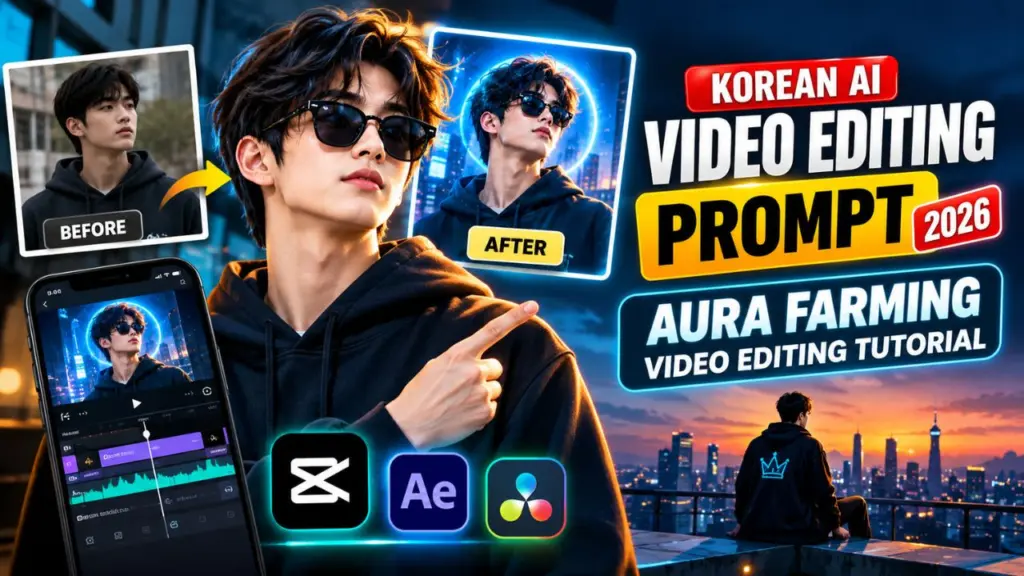
Viral Korean AI Video Editing Prompt 2026: If your Reels, Shorts, or TikTok feed has recently filled up with slow-motion walks, golden backlight, glowing outfit transitions, and “main character” energy, you have already seen the aura farming trend. In 2026 it has merged with a clean, cinematic, Korean-inspired editing look, and AI video tools make it easy for anyone to create it.
This guide covers the whole process. You will learn what aura farming is, how to write AI prompts for it, which tools to use, and how to edit, color grade, and publish your video so it can perform well.
What Is Aura Farming?
“Aura farming” is internet slang for deliberately building a cool, magnetic, effortlessly confident presence. The phrase became popular in 2025 after a viral clip from Indonesia’s traditional Pacu Jalur boat races. In it, a young dancer performed calmly at the front of a racing boat. Viewers said he was “farming aura” because his composure looked so cool.
In video editing, an aura farming edit turns that idea into visuals. It usually combines:
- Slow-motion movement, such as walking, turning, or looking over a shoulder
- Dramatic backlight, rim light, or golden-hour glow
- Beat-synced cuts and transitions
- A calm, confident subject who rarely looks at the camera
- Cinematic color grading and subtle glow effects
- Bass-heavy or atmospheric music
The aim is not a technically complex edit. The aim is a feeling of effortless cool, and every editing choice should support it.
Why the Korean AI Editing Style Is Popular in 2026
Korean visual culture influences many global trends, from K-drama cinematography to music video styling. When creators say “Korean-style” editing, they usually mean a particular look:
- Soft, clean color palettes with gentle contrast instead of harsh saturation
- Cinematic framing, often wide shots with shallow depth of field
- Polished, fashion-forward styling
- Smooth, rhythmic motion that follows the music
- Minimal, elegant typography
AI video generators are good at this look. They can produce atmospheric lighting, rainy neon streets, soft lens flares, and slow camera pushes in seconds. This gives small creators a cinematic result without a camera crew.
Tools You Need for Aura Farming Video Editing
You do not need expensive software. A practical toolkit looks like this:
- An AI video generator, such as Dreamina, which offers prompt-based video creation, or any comparable text-to-video or image-to-video tool you already use
- CapCut (mobile or desktop) for trimming, beat sync, transitions, color grading, and captions
- An AI image tool (optional) to create a clean starting frame for image-to-video generation
- A royalty-safe music source, such as the platform’s licensed library or a copyright-cleared track
- A phone or laptop with enough storage for 1080p exports
Tool features change quickly, so check each platform’s current options before you start.
The Anatomy of a Perfect Aura Farming AI Prompt
Strong prompts are specific. Vague prompts like “cool guy walking” give generic results. Use this six-part formula:
Subject + Action + Lighting + Camera + Mood + Style/Quality
Here is what each part does:
- Subject: Who or what is on screen, including outfit and general appearance
- Action: One simple movement, such as walking, turning, adjusting a jacket, or looking at the skyline
- Lighting: Golden hour, rim light, neon reflections, soft backlight, or overcast rain glow
- Camera: Slow push-in, low-angle tracking shot, orbit, or locked wide shot
- Mood: Calm, confident, mysterious, powerful, or dreamy
- Style/Quality: Cinematic, shallow depth of field, film grain, 4K look, soft color grade
Keep each prompt to one action and one camera move. AI video models tend to produce cleaner results when they are not given too many instructions at once.
10 Copy-Paste Korean-Style Aura Farming Prompts
Adjust the subject, outfit, and setting to fit your own character or brand.
1. Main Character Walk
“A confident young person in a long dark coat walking slowly toward the camera on an empty city street at golden hour, strong warm backlight creating a soft rim glow, slow-motion, subtle camera push-in, calm and powerful mood, cinematic shallow depth of field, soft film color grade.”
2. Rainy Seoul-Style Street
“A stylish person walking under a transparent umbrella on a rainy neon-lit street at night, reflections on wet pavement, soft pink and blue lights, slow tracking shot from the side, quiet confident atmosphere, cinematic, gentle film grain.”
3. Sunset Rooftop Gaze
“A person standing on a rooftop looking out over a city skyline at sunset, wind lightly moving their jacket, warm orange sky, slow cinematic push-in from behind, calm infinite-aura mood, wide shot, soft lens flare.”
4. Outfit Transition
“A person in casual clothes snaps their fingers and transforms into a sharp, elegant outfit with a soft golden glow sweeping across the frame, beat-matched motion, medium shot, clean studio background, polished fashion-film look.”
5. Cafe Slow-Motion Moment
“A person sitting by a rain-streaked cafe window, slowly lifting a cup and glancing outside, warm interior light against cool blue daylight, shallow depth of field, slow-motion, soft and calm mood.”
6. Low-Angle Power Shot
“Low-angle shot of a person walking confidently through a train station platform as a train passes behind them, light streaks and soft haze, slow-motion, cinematic contrast, composed and powerful atmosphere.”
7. Cherry Blossom Walk
“A person in a light trench coat walking beneath cherry blossom trees as petals drift in the wind, soft pastel sunlight, slow tracking shot, gentle dreamy mood, clean cinematic look.”
8. Stadium Lights Entrance
“A person walking out through a stadium tunnel into bright floodlights, silhouette turning into full color as they reach the light, slow-motion, dramatic backlight, bold cinematic framing.”
9. Creator Studio Edit Scene
“A creator editing a video on a timeline in a dark studio lit by neon accents, screens glowing softly, slow orbiting camera, focused and cool atmosphere, modern cinematic style.”
10. Minimal Aura Portrait
“Close-up portrait of a person turning their head slowly toward soft side light, calm expression, dark neutral background, subtle rim light on hair and shoulders, slow-motion, high-end editorial look.”
Step-by-Step Aura Farming Video Editing Tutorial
Step 1: Choose Your Concept
Pick one idea: a walk, a transition, a rooftop gaze, or a street scene. Short videos of 7 to 15 seconds perform best, so a single clear concept is enough.
Step 2: Create or Choose a Reference Frame
If your AI tool supports image-to-video, start with a strong still image. A clean first frame gives the video better consistency in face, outfit, and setting. Use only images you own or have permission to use.
Step 3: Generate Several Versions
Generate 3 to 5 variations of the same prompt. Pick the clip with the smoothest motion and the fewest visual glitches. Small changes to lighting or camera wording can give noticeably different results.
Step 4: Import Clips into CapCut
Place your best clips on the timeline. Trim the beginning and end so the footage starts at the first interesting movement. Slow-motion clips often have dead frames at the start.
Step 5: Pick the Music First
Choose your track before you cut. Find the beat drop or the strongest rhythmic moment. Aura edits rely on timing, so the music should drive your cut points.
Step 6: Sync Cuts to the Beat
Use CapCut’s beat markers, or tap them manually. Place your strongest visual moment on the beat drop. Examples are a head turn, an outfit change, or a flash of light.
Step 7: Add Subtle Motion Effects
Use light effects only:
- Small zoom-ins on beats (about 105 to 110%)
- Short speed ramps, slowing down on the hero moment and speeding up slightly before it
- Soft glow or bloom, kept low
Too many effects ruin the calm, confident feel.
Step 8: Color Grade for the Korean Cinematic Look
Start with these approximate settings and adjust to your footage:
- Contrast: slightly up
- Highlights: slightly down to protect the glow
- Shadows: lifted a little for a soft look
- Saturation: slightly lowered for a clean, filmic feel
- Temperature: warm for golden hour, cool for rainy or night scenes
- Grain: subtle, around 10 to 20 percent
- Vignette: very light
Step 9: Add Minimal Text or Captions
If you use text, keep it elegant. Use a thin sans-serif font, small size, and plenty of empty space. A short line such as “Aura +1000” can work as a trend reference, but it should not cover the subject.
Step 10: Export Properly
Export in vertical 9:16, 1080p, 30 or 60 fps. Check the preview on your phone before posting. Make sure important elements stay inside the safe area, away from the interface buttons.
How to Sync Aura Edits with Music
Music carries most of the emotional impact in aura farming videos. Follow these principles:
- Start calm, then hit. Begin with a quiet or atmospheric intro and put the visual peak on the drop.
- Match movement to rhythm. If the subject is walking, sync footsteps or turns to the beat.
- Use silence carefully. A half-second pause before the drop can make it hit harder.
- Keep it licensed. Use music from the platform’s commercial library or a track you have rights to, especially if the content is for a business account or monetized channel.
Best Color Grading and Lighting Choices
Light defines the aura look. These setups work well:
- Golden hour backlight: gives the warm main-character glow
- Blue-hour city lights: gives a calm, mysterious mood
- Neon rain: gives a stylish, dramatic atmosphere
- Soft overcast light: gives a clean, minimal, editorial look
Choose one lighting style per video. Mixing several makes the edit feel cluttered.
Best Platforms and Posting Formats
- Instagram Reels: best for aesthetic, polished edits. Use a strong first frame.
- YouTube Shorts: good for tutorials and longer-lasting discovery. Add keywords in the title and description.
- TikTok: responds well to trend sounds and fast hooks.
A useful strategy is to post the finished edit first. Then post a short “how I made this” video that shows your prompt and your timeline.
Common Aura Farming Editing Mistakes to Avoid
- Writing prompts that ask for too many actions at once
- Using shaky or random camera motion
- Over-saturating colors until the cinematic mood disappears
- Adding too many transitions and effects
- Ignoring audio quality and beat timing
- Choosing a weak first second, which causes viewers to scroll
- Posting low-resolution exports
AI Content, Copyright, and Ethical Guidelines
AI videos can go viral, but you should still publish responsibly:
- Do not use real people’s faces or likenesses without permission. This applies especially to celebrities and public figures.
- Do not copy brands, logos, or copyrighted characters into your generated videos.
- Respect music licensing on every platform.
- Label AI-generated content where the platform requires or offers disclosure tools. This builds audience trust.
- Check each tool’s terms for commercial use before you monetize the output.
Pro Tips to Make Your Aura Edit Go Viral
- Make the first 1 to 2 seconds visually striking.
- Keep the video short and loopable. End on a frame that flows back into the start.
- Use one strong idea instead of cramming in many effects.
- Post consistently so the platform learns your niche.
- Study your analytics, especially average watch time and replays.
- Reuse a successful prompt structure and change the setting or outfit.
- Add a clear title and hashtags such as #auraedit, #aurafarming, #aivideo, and #cinematicedit.
Frequently Asked Questions
What is an aura farming video edit?
It is a short video, usually in slow motion, that combines confident movement, dramatic lighting, beat-synced editing, and cinematic color to create a cool, powerful vibe.
Is there an official Korean AI video editing prompt?
No. “Korean-style” describes an aesthetic, which is clean, cinematic, and fashion-forward. You can recreate it with your own prompts that specify lighting, camera, mood, and style.
Which app is best for aura farming edits?
Most creators combine an AI video generator for the footage with an editor like CapCut for beat sync, grading, and captions. The best tool is the one you can use consistently.
How long should an aura farming video be?
Aim for 7 to 15 seconds. Short, polished clips usually hold attention better and loop more naturally.
Can I use these prompts for free?
The prompts above are free to use as templates. Whether the generated video is free depends on the credits and plan of the AI tool you choose.
Can beginners make these edits?
Yes. With a good prompt, a single reference image, and basic beat syncing in CapCut, a first aura edit takes about 30 to 60 minutes.
Final Thoughts
Aura farming video editing works because it shows a feeling through good timing, lighting, and restraint. Korean-style AI prompts give you a repeatable base for that look, and a simple CapCut workflow covers the rest.
Start with one prompt from this guide and generate a few variations. Sync the best clip to your music, grade it gently, and post it. Then refine your process based on how it performs.